Difference between revisions of "Currency"
m (Fixed a typo) |
(→Currency exchanges: Added New Adytum and Vault 8) |
||
| Line 41: | Line 41: | ||
== Currency exchanges == | == Currency exchanges == | ||
| − | There are at least | + | There are at least eleven locations that provide the (limited) ability to exchange currencies: NCR (34:27), Broken Hills (29:17), The Hub (31:40), San Francisco (9:25), New Vault City (16:8), Redding (14:11), Klamath (8:2), Gecko (29:4), Junktown (31:36), New Adytum (29:45), and Vault 8 (28:6). |
To perform a currency exchange, (1) initiate barter with a banker NPC; (2) drag the currency you wish to acquire from the banker's inventory into the banker's offer area; (3) drag enough currency from your own inventory into your offer area to match or exceed the value of the banker's offer; (4) click the "OFFER" button to complete the exchange. Note that all values will be displayed in caps regardless of the currency the location normally uses. | To perform a currency exchange, (1) initiate barter with a banker NPC; (2) drag the currency you wish to acquire from the banker's inventory into the banker's offer area; (3) drag enough currency from your own inventory into your offer area to match or exceed the value of the banker's offer; (4) click the "OFFER" button to complete the exchange. Note that all values will be displayed in caps regardless of the currency the location normally uses. | ||
| Line 52: | Line 52: | ||
File:New Vault City bank.jpg|<center>New Vault City</center> | File:New Vault City bank.jpg|<center>New Vault City</center> | ||
File:Redding bank.jpg|<center>Redding</center> | File:Redding bank.jpg|<center>Redding</center> | ||
| − | |||
File:Klamath bank.jpg|<center>Klamath</center> | File:Klamath bank.jpg|<center>Klamath</center> | ||
File:Gecko bank.jpg|<center>Gecko</center> | File:Gecko bank.jpg|<center>Gecko</center> | ||
File:Junktown bank.jpg|<center>Junktown</center> | File:Junktown bank.jpg|<center>Junktown</center> | ||
| + | File:New Adytum bank.jpg |<center>New Adytum</center> | ||
| + | File:Vault 8 bank.jpg|<center>Vault 8</center> | ||
| + | File:Currency exchange.jpg|<center>Currency exchange in progress</center> | ||
</gallery> | </gallery> | ||
Revision as of 23:51, 5 May 2026

Currency items are weightless tokens of exchange that define the value of all the other items. When trading with NPCs, the price of every item placed in the barter window is expressed in currency units, and any purchase above 50,000 units requires pure currency to execute.
In FOnline 3, no single universal currency exists. Instead, the money accepted in a given location depends on the faction currently in control. Each of the five lore factions mints its own currency, which is the only legal tender in locations under that faction's control.
Most major locations offer a unique type of service that can only be purchased with the ruling faction's currency. Players who seek these services must thus spend that faction's currency, reducing the amount that remains in circulation.
Caps remain in the game as a faction‑independent key currency. They are accepted only in the few remaining neutral locations and are therefore not very valuable for purchasing goods. Their main usefulness is in providing a stable baseline for tracking the relative value of the five faction currencies.
At any given time, the five lore faction currencies are worth 9, 13, 17, 21, and 25 caps respectively, with higher values assigned to currencies that players hold in smaller total quantities: the least‑held currency is worth 25 caps, and the most‑held is worth 9 caps, with the others falling in between.
Currencies
FOnline 3 has six main currencies: five for locations controlled by one of the five lore factions and one for locations that are neutral, see the table below.
Las Vegas (40:32) uses its own currency,  Golden Dollars, bringing the total number of currencies up to seven.
You may occasionally encounter currency-like items, such as  Pre War Money or
  Kokoweef Mine Scrip, but those are purely collectible items.
GM Auctions occasionally allow players to use Brahmin Dung as currency so think twice before you throw it away.
| Faction | Currency | World map color |
|---|---|---|
| Brotherhood of Steel (BoS) |  |

|
| Enclave |  |

|
| New California Republic (NCR) |  |

|
| The Master's Army (TMA) |  |

|
| Vault City (VC) |  |

|
| Unaffiliated |  |

|
Currency exchanges
There are at least eleven locations that provide the (limited) ability to exchange currencies: NCR (34:27), Broken Hills (29:17), The Hub (31:40), San Francisco (9:25), New Vault City (16:8), Redding (14:11), Klamath (8:2), Gecko (29:4), Junktown (31:36), New Adytum (29:45), and Vault 8 (28:6).
To perform a currency exchange, (1) initiate barter with a banker NPC; (2) drag the currency you wish to acquire from the banker's inventory into the banker's offer area; (3) drag enough currency from your own inventory into your offer area to match or exceed the value of the banker's offer; (4) click the "OFFER" button to complete the exchange. Note that all values will be displayed in caps regardless of the currency the location normally uses.
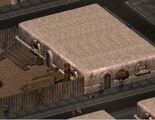
NCR 
Broken Hills 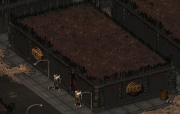
The Hub 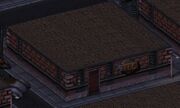
San Francisco 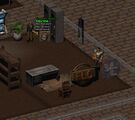
New Vault City 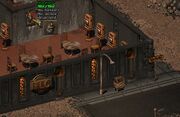
Redding 
Klamath 
Gecko 
Junktown 
New Adytum 
Vault 8 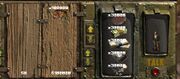
Currency exchange in progress


Currency sourcing
Currency comes from a wide variety of sources. Initially scarce, it becomes more abundant as a season progresses from one major patch to the next.
The table below lists all the main sources of currency along with the per‑spawn amounts they yield.
| Source | Currency amount (per spawn) |
|---|---|
| Random loot spawner | 100 – 500 (no patch scaling) |
| T1 dungeon locker | 5,000 x [Patch+1] – 15,000 x [Patch+1] |
| T2 dungeon locker | 15,000 x [Patch+1] – 45,000 x [Patch+1] |
| T3 dungeon locker | 25,000 x [Patch+1] – 75,000 x [Patch+1] |
| T4 dungeon locker | 55,000 x [Patch+1] – 145,000 x [Patch+1] |
| Vault X / Lost Hill | 200,075 x [Patch+1] – 7,000,200 x [Patch+1] |
| Patrol NPC | 100 x [Patch] – 500 x [Patch] |
| Guarded location trader | 500 x [Patch] – 1,500 x [Patch] |
| Unguarded location trader | 1,000 x [Patch] – 2,500 x [Patch] |
| Faction trader | 2,500 x [Patch] – 15,000 x [Patch] |
| Caps trader (caps only) | At least 50,000 caps, can be much more |
The multipliers [Patch] and [Patch+1] depend on the current version string, which follows the format season.major.minor (e.g., Patch 6.4.5 = season 6, major patch 4, minor patch 5).
The second number (the major patch number), which is always between 0 and 9, determines the patch-based multiplier currently in effect, as shown in the table below.
| Current version | X.0.Y | X.1.Y | X.2.Y | X.3.Y | X.4.Y | X.5.Y | X.6.Y | X.7.Y | X.8.Y | X.9.Y |
|---|---|---|---|---|---|---|---|---|---|---|
| [Patch] multiplier | 1 | 2 | 3 | 4 | 5 | 6 | 7 | 8 | 9 | 10 |
| [Patch+1] multiplier | 2 | 3 | 4 | 5 | 6 | 7 | 8 | 9 | 10 | 11 |
- X = the current season
- 0 to 9 = major patches
- Y = minor patches
